Default policy
Used when you do not set a subject policy. Feedback applies to the base Cowork behavior for that agent.
catch
Claude Cowork is very powerful when you connect it to your apps (Google Analytics, Google Ads, Webflow, etc). However, there is always the fear of it destroying your configurations or data. The tiza plugin avoids that.
After installing, run /connect in Claude Cowork to start the automatic setup.
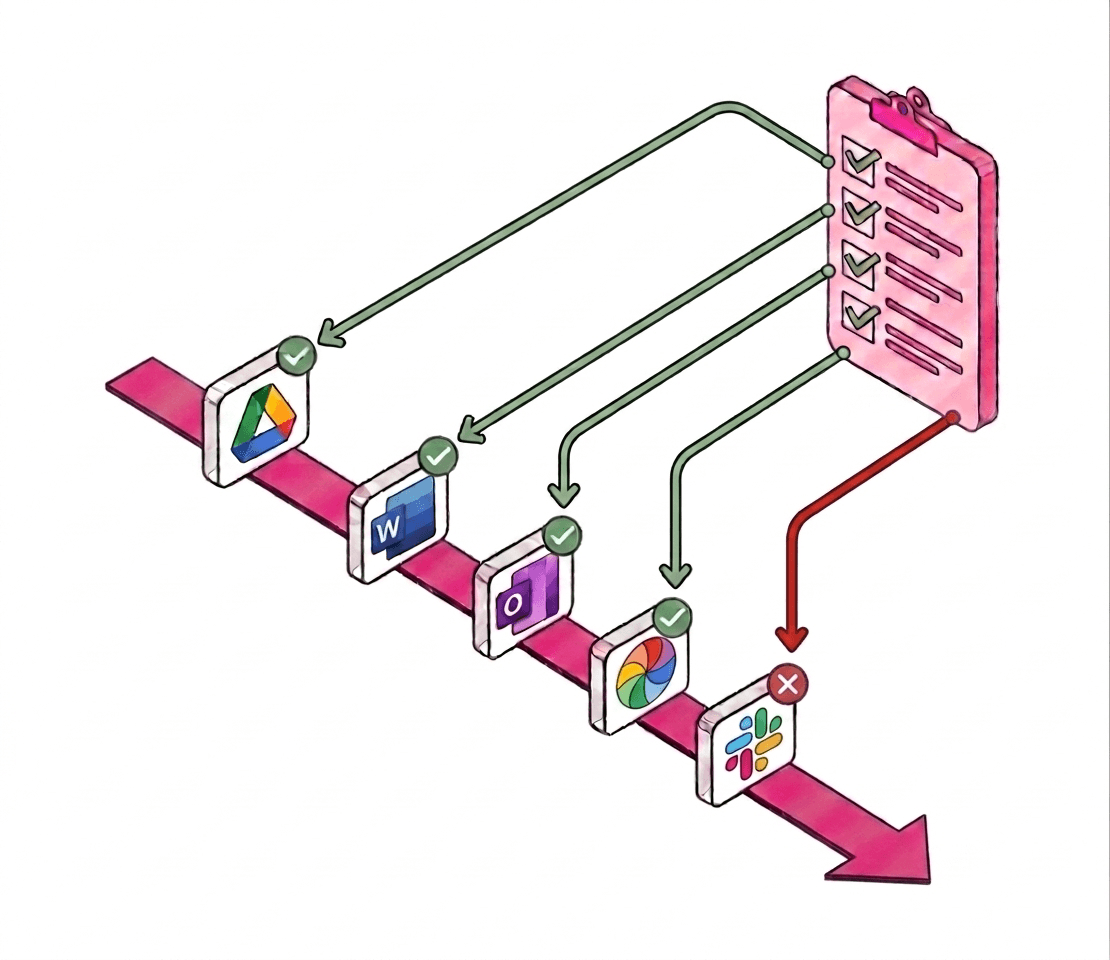
MCPs make Cowork useful across your stack. They also make mistakes more expensive. A tool call can edit a CMS page, adjust ad settings, or edit your account before you notice.
Prompt instructions alone do not block a tool call before it changes a real system.
Accepted, rejected, and failed actions are tracked against the Cowork run.
Every Cowork agent starts with a default policy. Use a subject policy when one project, client, repository, or environment needs different rules.
Used when you do not set a subject policy. Feedback applies to the base Cowork behavior for that agent.
Set with /subject policy-name. If the policy exists, Cowork uses it. If it is new, Tiza starts from the default policy and keeps future feedback separate.
1
Install the plugin, then run /connect so Tiza can create the project key after browser sign-in.
2
Before Cowork makes changes on your apps. Tiza checks if the action should run.
3
Tiza keeps the session trace across connected tools, you provide feedback and it becomes an enforced policy rule.
Keep these commands handy once the plugin is installed.
/connect
Start browser sign-in and approve Claude Cowork.
/connect complete
Finish setup after approval and store the Cowork project key.
/status
Check the connected project, agent, subject policy, and run.
/subject policy-name
Use or create a subject policy for this project, client, repository, or environment.
/feedback The agent should never edit ad budgets.
Create a new policy rule that's checked on every future call.
/subject clear
Return the session to the base policy.
Install the plugin, then run the connect command from Claude Cowork.